Word Line: Word Puzzle Game
SATORISYS PLAYWord
4.5126.00 Reviews
- Version
- 0.0.3
- Installs
- 10.00K
- Age Rating
- Everyone
Screenshots
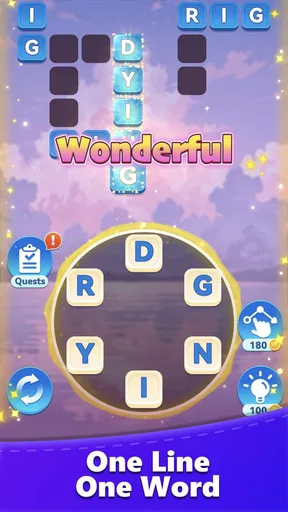
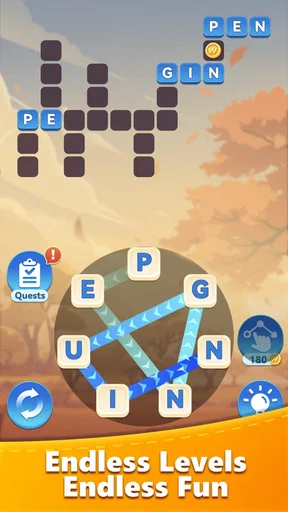
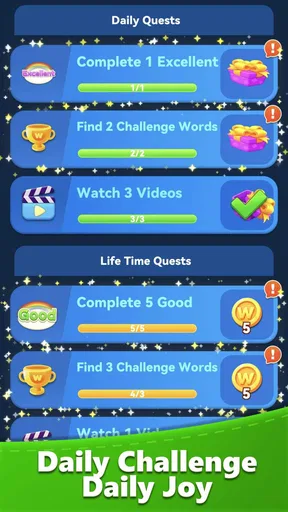
Our Review of Word Line: Word Puzzle Game
 Analysis by Appyee
Word Line is a free word puzzle game from SATORISYS PLAY that turns spelling into a simple swiping exercise. The basic idea is easy to understand: move across connected letters, form words, and work through puzzles. I found that straightforward design more appealing than a crowded game that tries to add too many systems at once. It gets to the wordplay quickly, which makes it suitable for short sessions when I want something quiet and mentally active.
The game is listed in the word category, carries an Everyone age rating, and runs on devices using Android 7.1 or later. Its current version is 0.0.3, so my overall impression is shaped by an early, compact release rather than a long-established puzzle platform. That matters when deciding what kind of experience to expect: this is best approached as a focused word game for casual play, not as a fully featured replacement for every crossword, anagram, or vocabulary app.
How Word Line fits into everyday puzzle play
What I like most about the concept is the physical connection between movement and spelling. Instead of tapping isolated letters in a fixed order, I swipe through a line of characters and try to recognize a valid word as I go. That small change makes the act of solving feel more active. I am not only searching for vocabulary; I am also watching the route my finger can take through the available letters.
The store summary describes the central loop clearly, but the useful question is how that loop fits into real life. For me, it works best during pauses that are too short for a story-driven game and too long to spend scrolling aimlessly. A quick session while waiting for a coffee, sitting on public transport, or taking a break from work gives me a contained challenge without requiring a large commitment.
There is also a nice difference between knowing a word and being able to trace it. A familiar word may still be unusable if the letters do not connect in the required way. Conversely, a less obvious word can become visible when I stop thinking only about definitions and start looking for letter patterns. That makes the game feel closer to a visual word search than to a traditional dictionary exercise.
I would not describe the experience as a substitute for a full crossword. Crosswords usually reward clues, general knowledge, and a broader sense of deduction. Word Line puts more emphasis on spotting combinations and navigating the available letters. Players who enjoy anagrams, word searches, and compact spelling challenges will probably understand its appeal quickly, while people looking for detailed clues or a rich narrative may find the format too narrow.
What the free access means for its value
The price is free, which gives the game an important advantage for anyone deciding whether to try it. I can install it without making a purchase decision first, test the swipe-based solving style, and decide from actual play rather than from screenshots or a description. For a small word puzzle, that low barrier is meaningful because personal taste matters so much: some players enjoy tracing letters immediately, while others prefer typing answers or solving clues.
Free access also changes how I judge the game. I do not expect it to justify a premium purchase before I know whether its puzzle rhythm suits me. Instead, I look for whether the core activity is pleasant enough to return to, whether the controls feel understandable, and whether the challenges provide a reason to keep paying attention. On those terms, the concept delivers a clean starting point.
The free price does not automatically make every limitation irrelevant. A game can cost nothing and still waste time through awkward controls, repetitive puzzles, or a lack of satisfying progression. That is why I would treat the no-cost entry as an invitation to evaluate the experience, not as proof that it will suit everyone. If you want a deep vocabulary trainer or a substantial long-term campaign, free access alone may not provide the value you are seeking.
For families, the Everyone rating makes the game easier to consider as a general-audience word activity. I would still choose age-appropriate play based on the individual child’s reading ability and patience, but the rating supports the idea that the format is intended for broad use rather than a mature audience. The older Android requirement is also relatively accommodating for people who keep a device for several years, provided it uses Android 7.1 or newer.
Small decisions that improve the solving experience
My first practical tip is to avoid committing to the longest-looking path immediately. When I scan the board, I begin with short familiar combinations and use them to understand the available movement pattern. This is more useful than dragging randomly across every promising letter, because a visually attractive route can lead to a word that does not fit the game’s connection rules.
A second useful habit is to separate recognition from confirmation. I may notice a possible word while looking at the letters, but I wait a moment to check whether each next character can be reached naturally. That pause reduces accidental swipes and helps me distinguish an actual solution from a word that exists only in my head. In a game built around connected letters, route awareness is as important as vocabulary.
I also find it helpful to change the way I search when I get stuck. First I look for common beginnings, then I inspect likely endings, and finally I consider shorter words that use a different direction through the letters. This three-step approach prevents me from repeatedly staring at the same pattern. It is a modest technique, but it makes the game feel more deliberate and less dependent on guessing.
Another trade-off is that the swipe mechanic can make mistakes feel more physical than in a typing-based word game. A mistimed movement may interrupt the thought process, especially when the letters are close together or when I am playing quickly. I prefer slowing down slightly rather than treating every puzzle like a race. The game’s strength is its tactile simplicity, but that same simplicity means careful finger movement matters.
Where the game is genuinely useful
I see three especially good use cases. The first is a short mental reset. When I have a few spare minutes, forming words gives my attention one clear target and feels more active than passively consuming content. The second is light vocabulary practice, not in the formal sense of a lesson, but as a way to revisit spelling patterns and notice familiar word structures. The third is shared casual play, where one person can suggest a possible word while another traces it.
That last use is more interesting than it may sound. Because the puzzle is visual and the action is easy to explain, someone watching can participate without needing to learn a complicated rule set. One player might search for a word while another checks the route. It is not a full competitive mode, but it can turn a solitary puzzle into a small cooperative moment.
I would also recommend it to people who enjoy games that stop them from multitasking. The swipe path requires enough attention that I cannot play effectively while doing something else. That is a strength when I want a brief focus exercise, but a weakness if I am looking for background entertainment. Word Line asks me to look at the screen and think about the next letter; it is not the kind of app I would leave running while my attention is elsewhere.
The game is less suitable for someone who wants a large range of puzzle formats. A crossword fan may miss clues and thematic answers. An anagram player may prefer rearranging a letter bank without movement restrictions. A competitive word-game enthusiast may want rankings, timed matches, or social pressure. Those alternatives are better choices when the surrounding structure matters more than the simple act of connecting letters.
Strengths that come from keeping the idea focused
The clearest strength is accessibility. I do not need a long tutorial to understand the objective, and the swipe gesture feels natural on a touchscreen. That makes the game approachable for occasional players who might avoid a more complicated word title. It also means I can return after a break without having to remember a large set of rules or systems.
The focused format can make each puzzle feel like a small, complete task. I choose a route, test a word, and adjust when the path does not work. That feedback loop is satisfying because the action and the answer are closely connected. In a typing-based game, the keyboard can feel like a neutral input tool; here, the movement itself is part of the puzzle.
The early version is another reason I would keep expectations measured. Version 0.0.3 suggests a product still at an early stage, and I would judge it primarily on the quality of the central mechanic rather than expecting the breadth of a mature word-game collection. For me, that makes the game more interesting as a compact experiment, but it also means players who demand extensive content from the first session may be disappointed.
The developer, SATORISYS PLAY, has positioned the game around a recognizable word-puzzle formula rather than an elaborate theme. That choice keeps the experience easy to understand, but it places pressure on the letter layouts and puzzle variety to remain engaging. When the surrounding presentation is intentionally simple, the quality of the actual word paths becomes the main reason to continue.
The trade-offs I would consider before installing
The biggest trade-off is depth versus immediacy. The game is easy to pick up precisely because it does not appear to burden the player with complicated rules. However, the same narrow focus may feel repetitive to someone who needs constant changes in objectives. I enjoy a clean loop for short sessions, but I would not choose it as my only puzzle game.
Another consideration is the difference between vocabulary challenge and movement challenge. If I know many words but dislike tracing them with a finger, the game may feel less satisfying than a standard word-entry title. If I enjoy visual pattern recognition but have a limited vocabulary, some puzzles may still be demanding. The best fit is someone who likes both sides of the task: recognizing possible words and finding a connected route.
There is also a practical difference between playing on a phone and on a larger screen. A compact display can make one-handed use convenient, yet it may leave less room for precise swipes when several letters are close together. A larger device can make the path easier to inspect but may be less comfortable for quick, casual play. I would choose the device on which finger movement feels controlled rather than assuming a bigger screen is always better.
I would skip this game if my main goal were structured language learning. It may encourage attention to spelling, but it is not the same as lessons, definitions, pronunciation practice, or a planned vocabulary curriculum. I would also skip it if I wanted a story, character progression, or a competitive community. The free price makes trying it easy, but it does not change the type of experience on offer.
Who gets the most value from it
The strongest audience is casual puzzle players who want a word game that can be understood in moments. It is particularly suitable for people who like anagrams and word searches but want a more tactile interaction than tapping an answer from a list. The Everyone rating broadens its appeal, and the Android 7.1 minimum makes it relevant to users who are not on the newest hardware.
I also think it suits players who prefer self-contained concentration over social competition. A person who wants to fill a short break with a small mental task can get more from this format than someone who needs leaderboards or timed contests to stay motivated. The game’s value comes from the solving process itself, so enjoyment depends less on external rewards and more on whether finding a route feels satisfying.
For a parent or older sibling considering a simple word activity, the clear gesture and general-audience rating are reassuring starting points. I would play alongside a younger user at first, not because the rule is complicated, but because observing how they interpret connected letters reveals whether the puzzle style is comfortable for them. It can become a useful shared exercise in spelling and visual planning without pretending to replace formal education.
People who already have a favorite crossword or anagram app should see Word Line as a complementary option rather than an automatic replacement. I would open it when I want movement-based solving, then return to a clue-focused game when I want richer deduction. That division of roles is where the title makes the most sense: it adds a different texture to a word-game collection instead of trying to cover every possible preference.
My verdict on trying Word Line
With a free price, there is little financial risk in testing whether the swipe mechanic suits you. I would recommend giving it a fair try if you enjoy compact word puzzles, want something suitable for short breaks, or like the idea of connecting letters instead of simply typing answers. Its strongest quality is that the main action is immediately understandable while still asking me to think about both vocabulary and route.
I would keep expectations realistic because the game is at version 0.0.3 and has the focused scope of a straightforward word title. It is not the right choice for a deep learning tool, a feature-heavy puzzle platform, or a competitive multiplayer experience. Those needs point toward more specialized alternatives. For everyone else, the free entry makes experimentation sensible.
The game has an average rating of 4.5 from around two thousand ratings, with over a hundred written reviews, and it has passed ten thousand installs. Those figures suggest that it has already attracted an audience, but I would still trust my own response to the swipe controls more than any single score. Word puzzles are personal: the same compact design that feels pleasantly focused to me may feel too limited to another player.
My final view is positive but measured. Word Line is worth installing when you want a simple, tactile word challenge rather than a complete puzzle ecosystem. I would use it as a small daily mental break, keep my searches systematic, and switch to a crossword or structured vocabulary app when I need deeper clues or learning tools. As a free game from SATORISYS PLAY, it earns its place through an accessible idea and a clear interaction, provided you are comfortable with a focused experience that prioritizes connected-letter solving above everything else.
Verdict
Strengths of Word Line: Word Puzzle Game
- Simple rules make it easy to start playing immediately.
- Short levels are ideal for quick breaks or casual sessions.
- Word challenges help improve spelling and vocabulary over time.
- Clean interface keeps the focus on solving each puzzle.
- Gradually increasing difficulty provides a satisfying sense of progress.
Limitations of Word Line: Word Puzzle Game
- Some puzzles may feel repetitive after extended play sessions.
- Later levels can become frustrating without hints or extra help.
- The game may offer limited variety for dedicated word-game fans.
- Ads can interrupt the experience, especially between completed levels.
- Players seeking competitive multiplayer features may find it too basic.
Other Releases by SATORISYS PLAY
View All
Ball Sort - Color Puzzle Game
Casual4.7

Line Dash
Casual4.7

Gin Rummy King
Card4.7

Gin Rummy Classic
Card4.6
Similar Picks in This Category
View All
Word Search - Word Puzzle Game
Bluetile4.8

Word Search Quest - Puzzles
Blackout Lab4.8

CodyCross: Crossword Puzzles
Fanatee, Inc.4.7

Words of Wonders: Crossword
Fugo Games4.9

Wordscapes: Word puzzle game
PeopleFun4.7

Word Search Explorer
PlaySimple Games4.9
Frequently Asked Questions
What is Word Line: Word Puzzle Game?
Word Line: Word Puzzle Game is a casual word puzzle app focused on finding and connecting letters to create valid words. Its gameplay is designed for short sessions, making it suitable for playing during breaks or while traveling. As you progress, puzzles generally become more challenging, encouraging you to expand your vocabulary, recognize patterns, and think carefully before using available letters or hints.
How do you play Word Line: Word Puzzle Game?
The main objective is to form words from the letters shown on each puzzle board, usually by swiping across adjacent letters or selecting them in the correct order. Completing the required words advances you to the next level. Some puzzles may include bonus words or extra challenges, so it is worth experimenting with different combinations instead of focusing only on the minimum solution.
Is Word Line: Word Puzzle Game free to download and play?
Word Line: Word Puzzle Game can generally be downloaded without an upfront purchase, allowing players to try the core experience for free. However, free versions of puzzle games may include advertising, optional purchases, or paid features such as additional hints and the removal of ads. Check the store listing and in-app purchase information on your device before downloading.
Does Word Line: Word Puzzle Game require an internet connection?
An internet connection may not be necessary for every basic puzzle, which can make the game convenient for offline play. Nevertheless, connectivity may be required for advertisements, analytics, updates, cloud features, or certain special content. If you plan to play without mobile data or Wi-Fi, open several levels first and confirm which features remain available offline on your device.
Is Word Line: Word Puzzle Game suitable for children and all skill levels?
The game is generally easy to understand because its central mechanic relies on recognizing letters and forming words. It can be enjoyable for children, students, adults, and anyone who likes vocabulary challenges, although the appropriate age depends on the difficulty of the words and the app’s advertising or purchase features. Parents should review the store rating and supervise younger players when needed.
Play our best games!


